
Cistercian Clock
GitHub link: https://github.com/bigcrimping/cistercian_clock
I keep a list of project ideas I want to do, and fairly near the top it says “NEW CLOCK”. After reading about Cistercian Numerals I decided to make a clock which:
- Shows the date and time in the least amount of digits
- Acts as a way of training my brain to do repetitive maths (something I don’t enjoy)
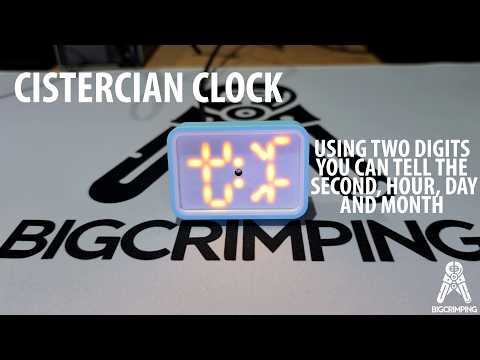
The design is a custom PCB based on a ESP32 and MAX6969 LED drivers in a 3D printed housing
How to read the time
The Cistercian Numeral system uses one digit to be able to count up to 9999
The clock has two digits, left and right. The goal was to use as much of the range of each digit as possible.
The right hand digit is counting up in seconds until it reaches 7200 which is 2 hours.
The left hand digit is counting up in 2 hour increments, 4380 sets of 2 hours in a year.
Software Setup
To setup the ESP32, load MicroPython from https://micropython.org/download/
Once loaded, put the main.py and secrets.py into the MicroPython environment.
You will need to update the secrets.py file with your WiFi details
You can change your timezone in the main.py using timezone_offset
Mechanical Build
To assemble the clock first put the button into the rear housing
Then insert the PCB into the rear housing
Insert the light guide and diffuser
Attach with M2 screws
PCB Build
The PCB is a simple double-sided board. The Gerbers are in the relevant folder and should be easy to produce by any PCB vendor.